WordPress Themes: Frequently Asked Questions
LIQUID PRESS FAQ-
General
-
What is Responsive Plus?
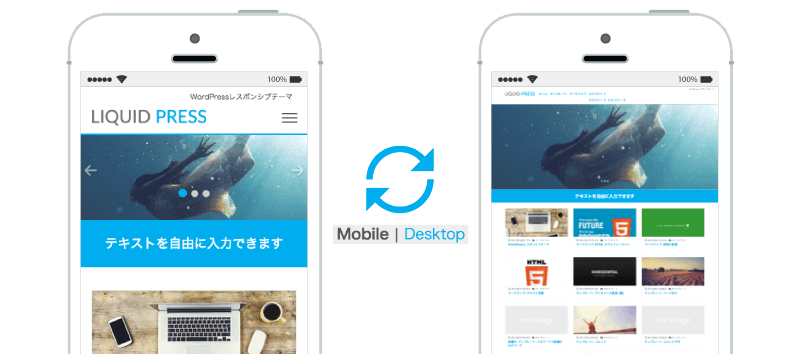
Responsive Plus is an original LIQUID PRESS feature that lets visitors switch between the mobile and desktop versions of a site. The display method chosen by the user is applied consistently across the whole site. Responsive web design (RWD) is a web page production technique that changes the layout according to the screen size. Because it supports multiple devices without changing the URL or HTML, it is also recommended in the Google mobile guide, but it does not allow the desktop version to be displayed on a smartphone. Responsive Plus makes that possible.
 Theme features
-
What is Bootstrap?
Bootstrap is an HTML/CSS/JavaScript framework released by developers at Twitter.
It is used on sites around the world and is the most popular framework on GitHub, where developers gather.
Using a stable framework helps ensure quality, maintainability, and extensibility. The LIQUID PRESS series adopts the latest version, Bootstrap 5. Sites using Bootstrap around the world (from the official Bootstrap site)
 -
What is the Customizer?
The Customizer is an official WordPress API that allows intuitive customization.
Because you can check a live preview, even beginners can edit easily. -
Can I try it out first?
"LIQUID," a theme listed in the official WordPress directory, is free and available for immediate use.
There is also a free trial version of the "LIGHT" theme available for download.
Our other themes use the same framework for their core features, so you can try these themes first and then use the others with confidence. -
Can I switch themes?
You can easily switch themes from the WordPress admin screen > Appearance.
Switching between themes in the series, such as from "LIQUID LIGHT" to "LIQUID MAGAZINE," goes very smoothly. (Some settings may need to be reconfigured.) -
How does it differ from other themes?
LIQUID PRESS is listed in the official WordPress "Commercially Supported GPL Themes" directory, which few Japanese-made themes are. All theme templates pass the official WordPress theme check, so you can use them with confidence in terms of both quality and security. -
How do the themes differ from each other?
Please see our feature comparison, where this is summarized. Please also check the demo for each theme. -
What about support?
Themes listed in the official WordPress "Commercially Supported GPL Themes" directory (premium themes) include setup support (by email, for 30 days).
For 30 days from purchase, please feel free to contact us through the inquiry form with any questions about installing or configuring the theme. For details, please see setup support.
*WordPress core, plugins, customization methods, and the like are outside the scope of support. We do not offer telephone support. Support is not provided for free or trial versions.
If you would like ongoing support, please use a subscription plan. -
Installation
-
How do I install a theme?
There are two methods.a. Upload the zip file from WordPress admin screen > Appearance > Add New > Upload Theme
b. Use FTP software to upload the entire unzipped folder to /wp-content/themes/
For details, please see the manual.
-
I can't upload the theme
If an upload size limit is set on the server side, you cannot upload files exceeding that size.
In that case, please change the setting or try uploading with FTP software instead. -
Can I upgrade to newer versions?
The latest version is checked automatically, and you can upgrade the theme from the WordPress admin screen.
You can check the update details and change history at admin screen > Appearance > Theme Support, or on GitHub. -
Is it compatible with WordPress 5.0?
LIQUID PRESS supports WordPress 5.x and the latest block editor, "Gutenberg."
You can use convenient features such as block input, an original color palette, and Bootstrap integration.
For details, please see the Gutenberg manual. -
How to Configure the Theme
Configuration methods by WordPress theme
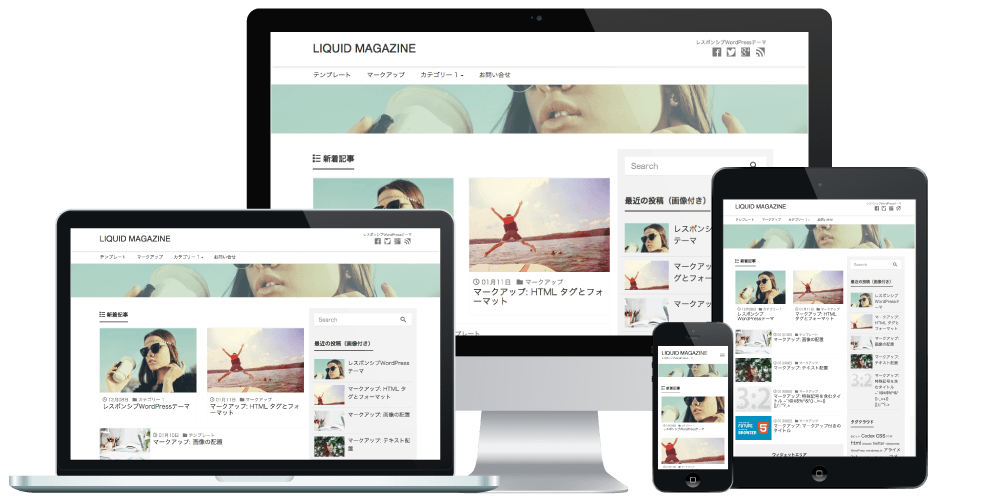
LIQUID MAGAZINE: How to create an owned media site
LIQUID CORPORATE: How to create a corporate site
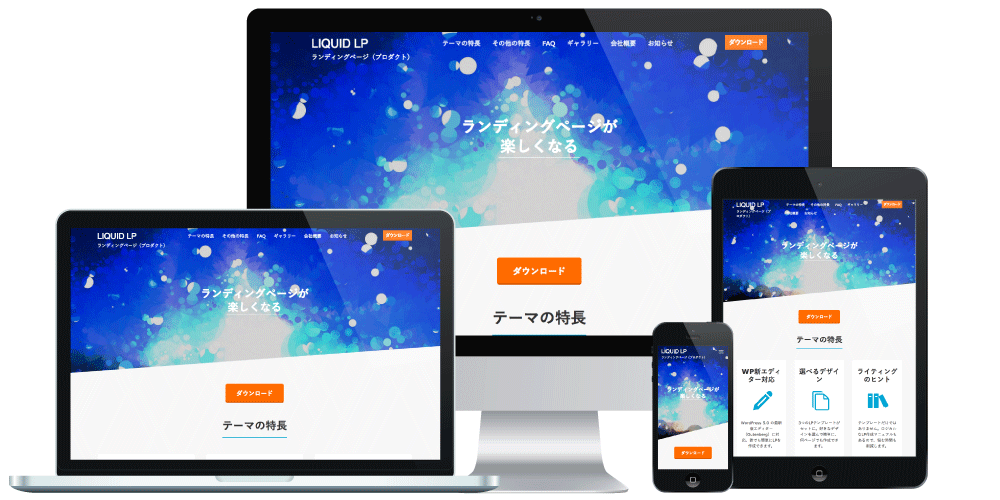
LIQUID LP: How to create a landing pagePDF manuals
Available at WordPress admin screen > Appearance > Theme Support (license ID required).
WordPress usage manual
List of settings used on the demo site
Theme update information and more can also be checked from the Theme Support screen. *Excluding trial versionsVideo manuals
The themes below also have video manuals, so please take a look.
LIQUID MAGAZINE: video manual
LIQUID CORPORATE: video manualOther manuals
How to create a child theme
Block style design
Design skins and parts -
How do I configure the theme?
All theme settings can be configured intuitively while previewing them at WordPress admin screen > Appearance > Customize.
For details, please see the settings manual. -
How do I customize the theme?
You can do it easily from the WordPress admin screen.
For details, please see the customization manual.
For more advanced customization, please use the custom header, a child theme, or design skins and parts. Custom headers and child themes let you carry your edits over even after the theme is updated.
*Customization is outside the scope of support. If you would like support for customization, please use a subscription plan. -
How do I use a contact form?
We have verified operation with the "Contact Form 7" and "MW WP Form" plugins.
With these plugins, the theme design is also applied to the form. Please also see the settings manual.
We do not guarantee the operation of plugins. -
How do I display a list of popular posts?
We have verified operation with the "WordPress Popular Posts" plugin.
We also publish a settings manual, so it is easy to display.
We do not guarantee the operation of plugins. -
How do I display Google AdSense?
Paste the ad code into a "Text" widget and place it freely in any widget area you like.
We have also verified operation with the "Google AdSense" plugin, and we support "next-generation ads" as well.
We do not guarantee the operation of plugins. -
Does it support AMP?
It supports the "AMP for WordPress" plugin.
We do not guarantee the operation of plugins. -
Troubleshooting
-
How to resolve problems
Many problems can potentially be resolved by the following.
1. Very often a plugin is the cause of the malfunction. To isolate the problem, please temporarily deactivate all plugins and check again. *We do not provide support for third-party plugins.
2. Please update WordPress core and the theme to the latest versions (always make a backup first) and check again.
3. If you have customized the site with a child theme or similar, please activate the theme in its initial state and check again.
4. Please clear your browser cache, plugin cache, and server cache, then check again.
5. For 404, 500, and 503 errors, please contact your server provider's support desk.For other problems, please see the sections below.
-
I can't save Appearance > Customize
If you cannot save your settings in Appearance > Customize, please check the following.
Errors such as "Something went wrong. Please try again later." or "403 error."
1. Very often the server's WAF (web application firewall) is the cause of the malfunction. Please temporarily disable the WAF setting and check again.
Reference: settings for SAKURA Internet rental server
Reference: settings for Lolipop! rental server
Reference: settings for Onamae.com Shared Server SD
Reference: settings for XSERVER rental server
*This is due to the specifications of the server and WordPress core.
*It may take time for the setting to take effect. Please wait up to about half a day and then check again.
*The WAF is an important security feature. After making the necessary settings, please re-enable it or configure allowances for specific IP addresses.
*We do not provide support regarding WAFs or server settings. For details, please contact your server provider.2. The feature may not work when the server's "overseas access restriction" or "REST API access restriction" is enabled.
Please temporarily disable the relevant feature and check again. If you have access restrictions in place, please check in an environment where those restrictions are not needed.
*We do not provide support regarding server settings. For details, please contact your server provider.3. A plugin may be the cause. Please temporarily deactivate all plugins and check again.
4. When you copy from Word, Excel, PowerPoint, and the like, extra information may be included. Please type directly into the input field with your keyboard and check again.
5. Saving may fail when HTML and symbols are adjacent in your input.
Please change the symbols (such as :, ~, -, _, and ・) or enter them as character entities.6. The browser cache may be the cause. Please clear the cache or check in a different browser.
7. If you have customized the site with a child theme or similar, please activate the theme in its initial state and check again.
8. If the customization is left as a "draft," it will not be published. Use the gear icon at the top right to set it to "Publish" and "Published," then check again.
-
Publishing failed / Updating failed
The "Publishing failed" and "Updating failed" errors shown in the WordPress 5.x block editor are very often caused by the server's WAF (web application firewall) or by access restrictions.
For details on how to resolve this, please see the previous section. -
The response is not a valid JSON response
The error "The response is not a valid JSON response." shown in the WordPress 5.x block editor may be caused by the settings below.
1. At admin screen > Settings > Permalinks, select an option other than "Plain," click "Save," and check again.
2. Try increasing the following capacity settings on your server.
Configuration files: .htaccess, php.ini, etc.
Settings: max_execution_time, upload_max_filesize, post_max_size, client_max_body_size (nginx)
*We do not provide support regarding server settings. For details, please contact your server provider.The slideshow and other elements are not displayed
For layout customization of the top page, please set admin screen > Settings > Reading > Your homepage displays to "Your latest posts" and check again.
If you have newly installed WordPress core, the LIQUID PRESS sample content is applied at Appearance > Customize.I can't upload images
Uploads may fail due to server capacity limits. Please try compressing the image file size or reducing the image dimensions.Block > Invalid content
If the block editor displays "This block contains unexpected or invalid content," selecting the block, clicking the three-dot icon at the top right, and choosing "Attempt block recovery" may make it editable again. This can occur when WordPress core has been upgraded.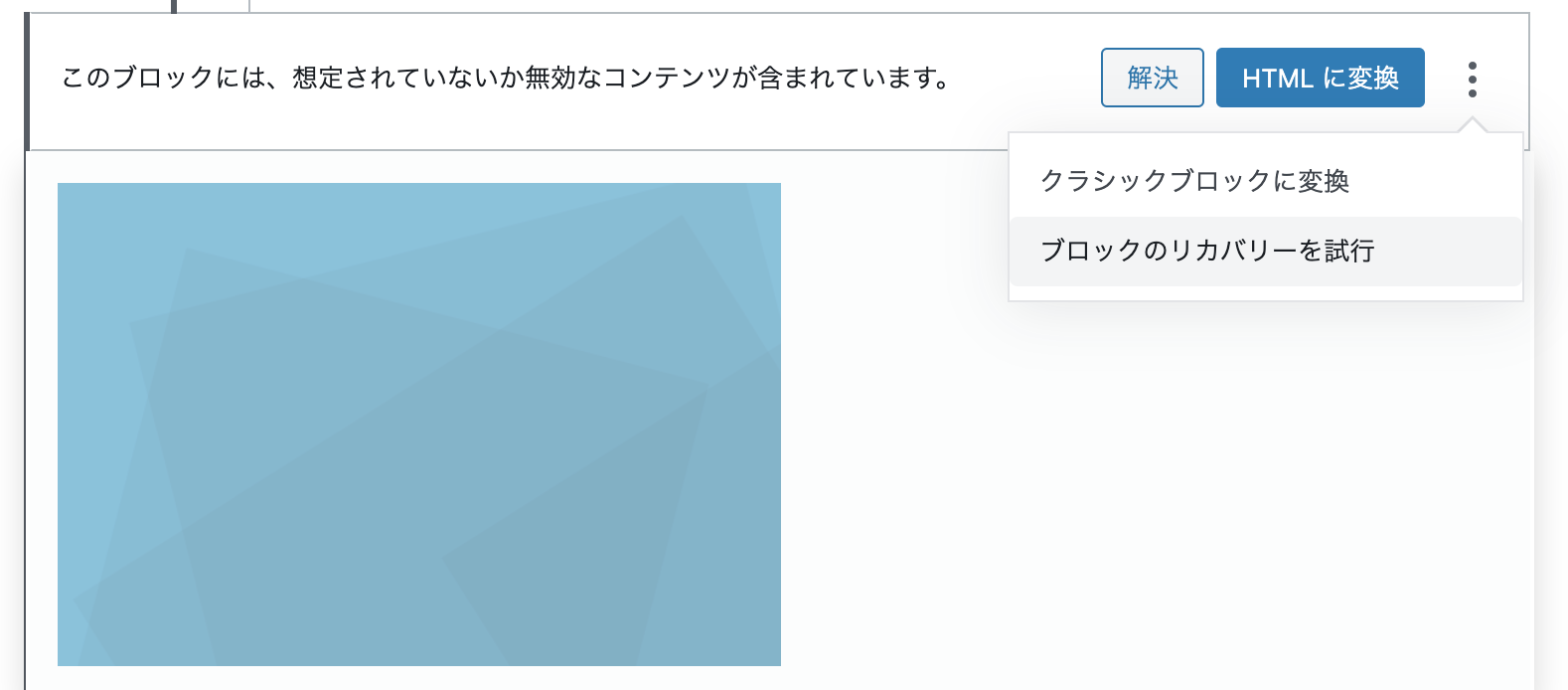
Payment Methods
What payment methods are available?
You can pay by credit card or bank transfer.

LIQUID DESIGN Ltd. partners with Stripe to provide secure billing and payment processing.
LIQUID DESIGN Ltd. never holds your credit card information.Are there any costs besides the theme price?
Products are a one-time purchase, so there are no other costs. Version upgrades are also free.
If you would like ongoing support, please use a subscription plan.
A server capable of running WordPress is required separately. If you would like server hosting or customization, we will provide a separate quote.Can you issue a quotation, invoice, or receipt?
Yes. If you need a quotation, invoice, or receipt issued by us, we can send a PDF.
Please contact us with the name to be addressed. We are a qualified invoice issuer.Can I buy multiple products at once?
Yes. Please add multiple products to your cart in the store.
Our subscription plans also give you unlimited use of all products.What is a promotion code?
License
What is the license?
All themes and plugins adopt the same GPL license as WordPress core.
Commercial use, modification, and redistribution are permitted. *This does not mean we waive our copyright.
GPL: GNU GENERAL PUBLIC LICENSEWhat is a license ID?
It is the email address you used when purchasing a paid theme. Please enter it at WordPress admin screen > Appearance > Customize > License ID. We use it for the purpose of managing your order details and providing support in general. We do not use it for any other purpose.
If you wish to change your email address, please contact us with your order number.The official WordPress directory?
The free theme "LIQUID" is a theme listed in the official WordPress directory.
LIQUID PRESS is also listed in the official WordPress "Commercially Supported GPL Themes" directory.
All themes pass "Theme Check" for official WordPress themes, so you can use them with confidence.Can I use it commercially?
All themes and plugins may be used commercially.
Sell products on a site that uses the theme
Earn advertising or affiliate income on a site that uses the theme
Use the theme for a company's corporate site
Deliver a site built with the theme to a clientCan I remove the copyright notice?
The copyright notice in the footer can easily be removed from the admin screen.Can I provide it to clients?
Yes. You may provide it to clients, agencies, and others.
Because many production companies use our themes, we also offer a custom admin screen feature that is convenient for delivering sites to clients. It lets you customize the content of the admin screen to match your company or your client.
Please use the "Enterprise" plan among our subscription plans.Do I need a separate license ID for a development environment?
No. It is not required.Other
Can I feature it on my site or blog?
Yes. Thank you. We also have a partner program, so please do register.Do you have themes for other CMS platforms?
Yes. Please feel free to contact us.Would you like to partner with us?
If you have a proposal for a partnership or service integration, please feel free to contact us.If you have any questions, please feel free to contact us.
» Contact Us