Listed in the official WordPress directory — free
Free download » Pro versionOr search for LIQUID TOOLS from the WordPress dashboard
New We have added protection against the serious wp2shell vulnerability
WordPress custom fields, CPT and security plugin
In addition to managing custom post types, custom taxonomies, and custom fields, this single WordPress plugin also provides essential security measures.Easy configuration through a simple admin screen.
Key features of LIQUID TOOLS
- Create custom post types, custom taxonomies, and custom fields.
- Supports repeatable fields so you can freely add custom fields.
- Strengthens security with login page protection, maintenance mode, site tampering checks*, and more.
Custom post types
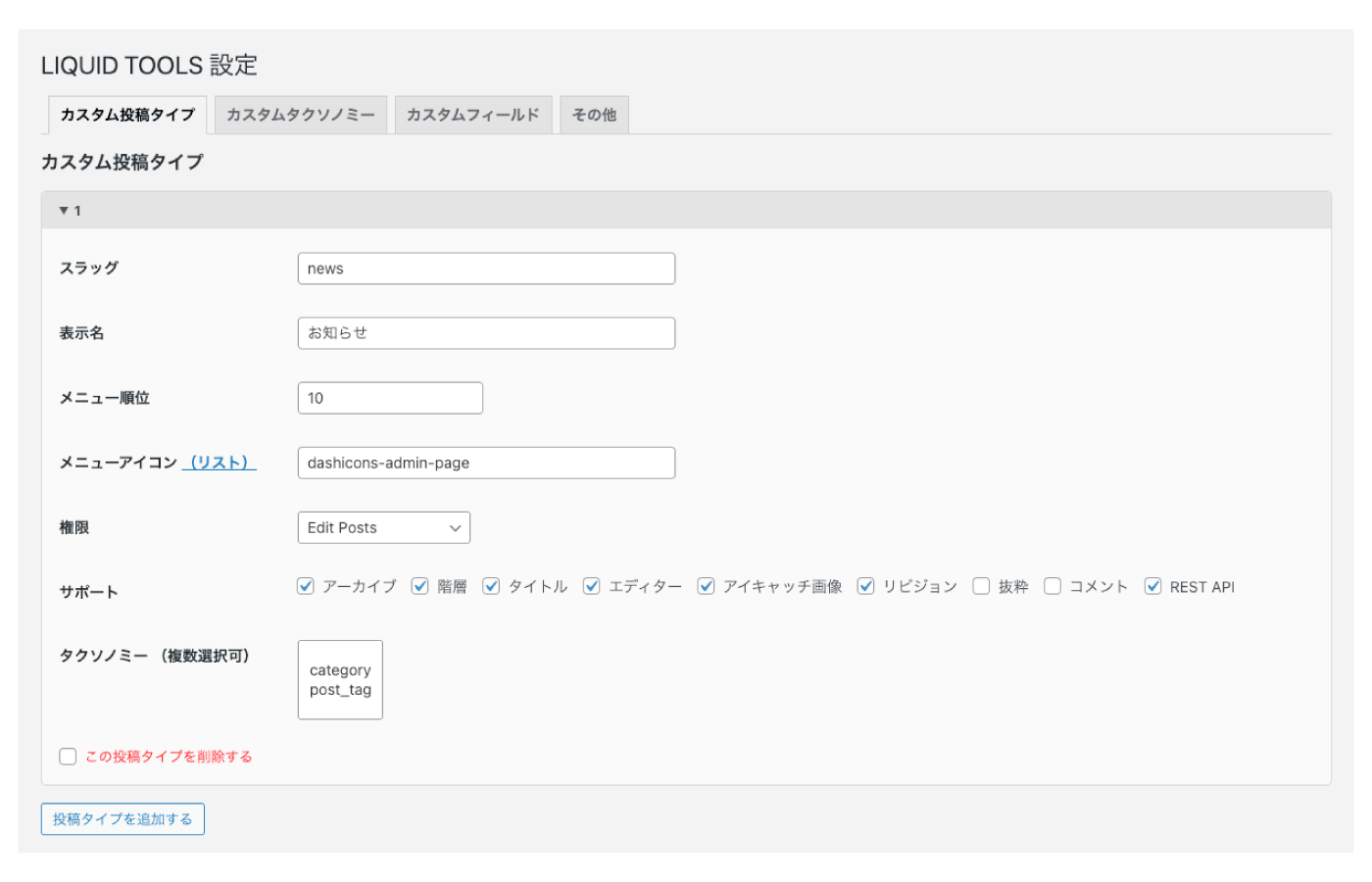
Settings
- Slug
- Display name
- Menu position
- Menu icon
- Capabilities
- Supports
- Archive, hierarchy, title, editor, featured image, revisions, excerpt, comments, REST API
- Taxonomies (multiple selections allowed)
Custom taxonomies
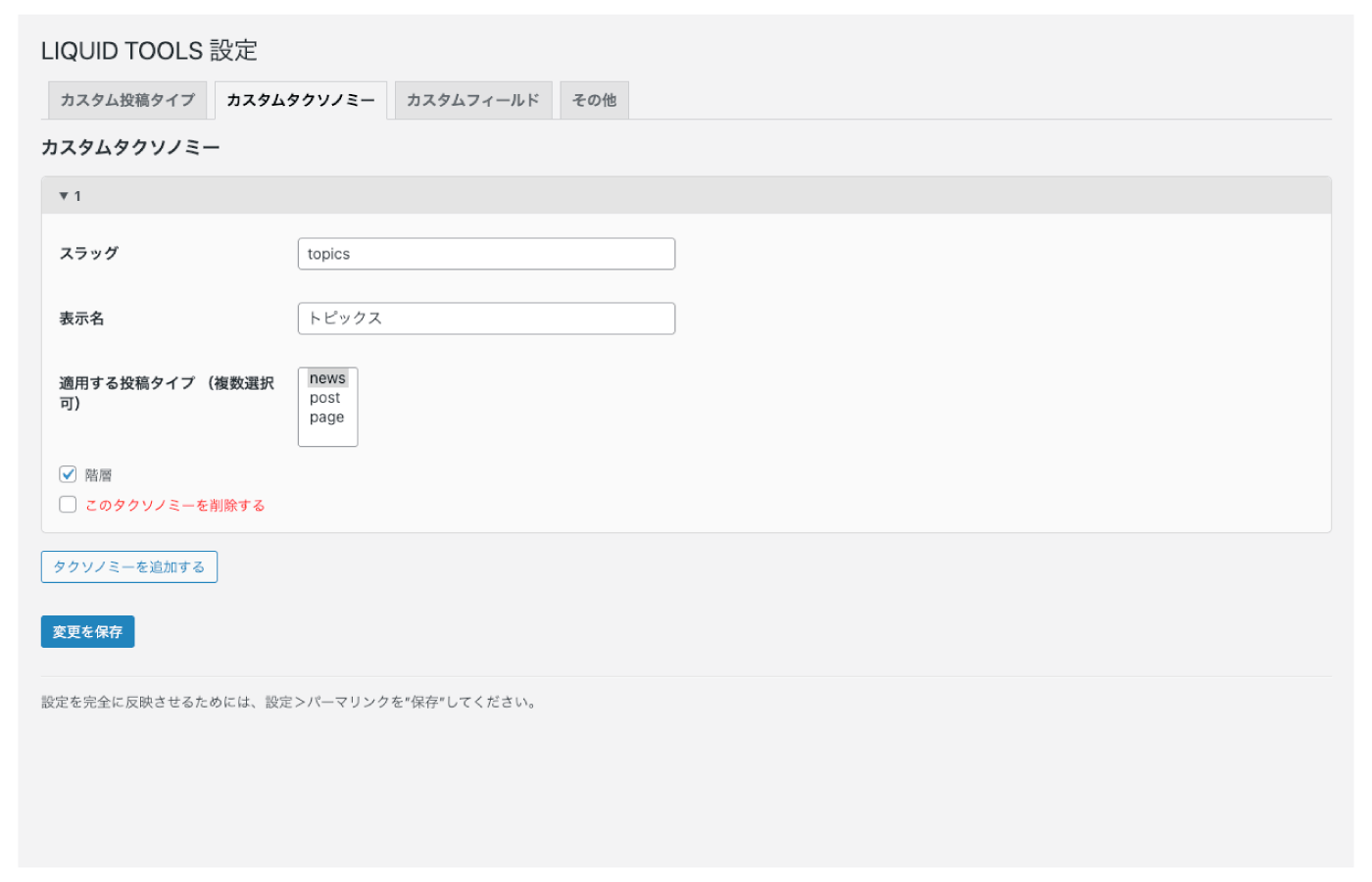
Settings
- Slug
- Display name
- Post types to apply it to (multiple selections allowed)
- Hierarchy
Custom fields
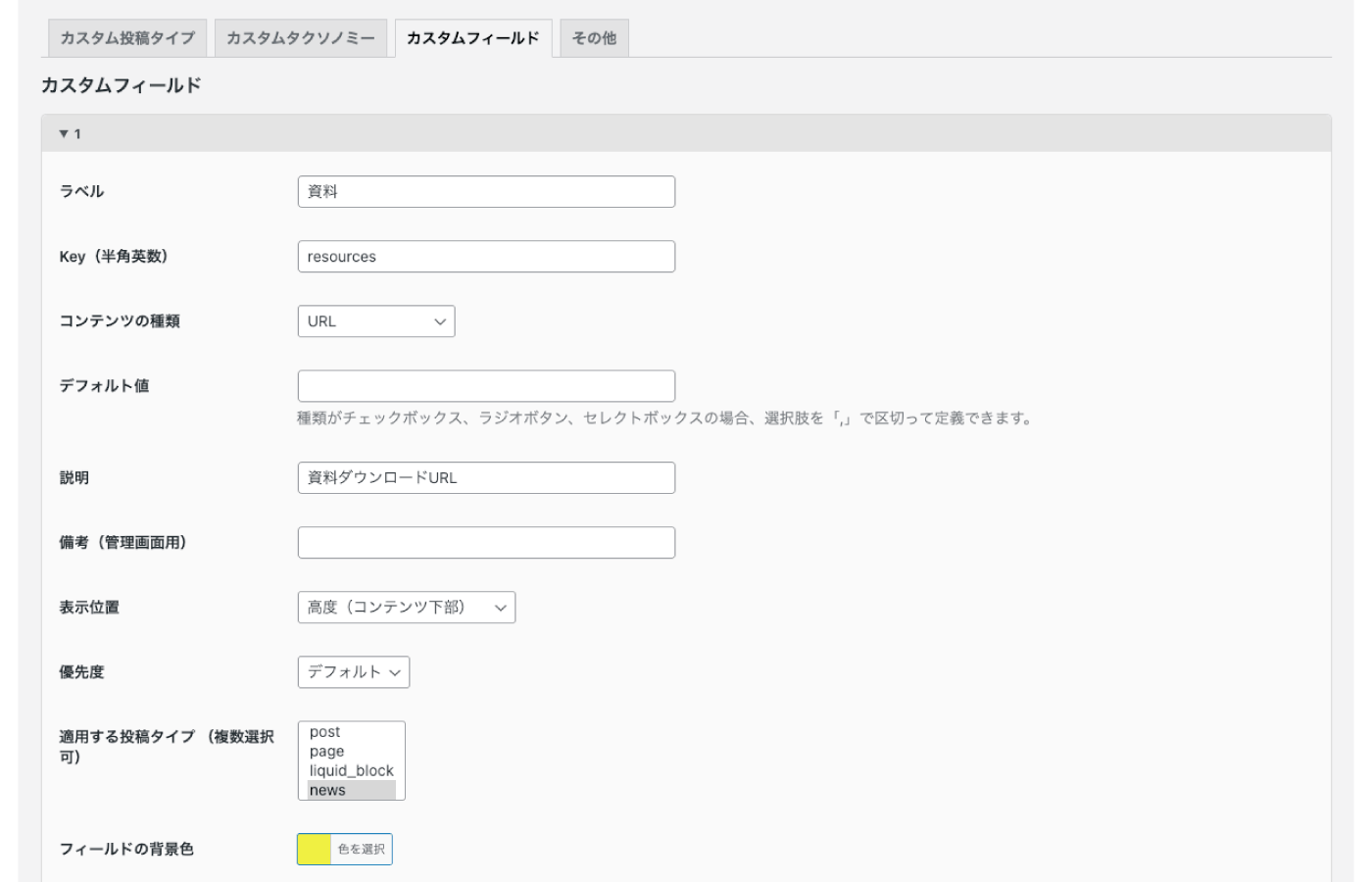
Settings
- Label
- Key (single-byte alphanumeric)
- Content type
- Text, textarea, URL, email, number, image, checkbox, radio button, select box
- Default value
- Description
- Notes (for the dashboard)
- Display position
- Priority
- Post types to apply it to (multiple selections allowed)
- Field background color
- Required
- Repeatable field
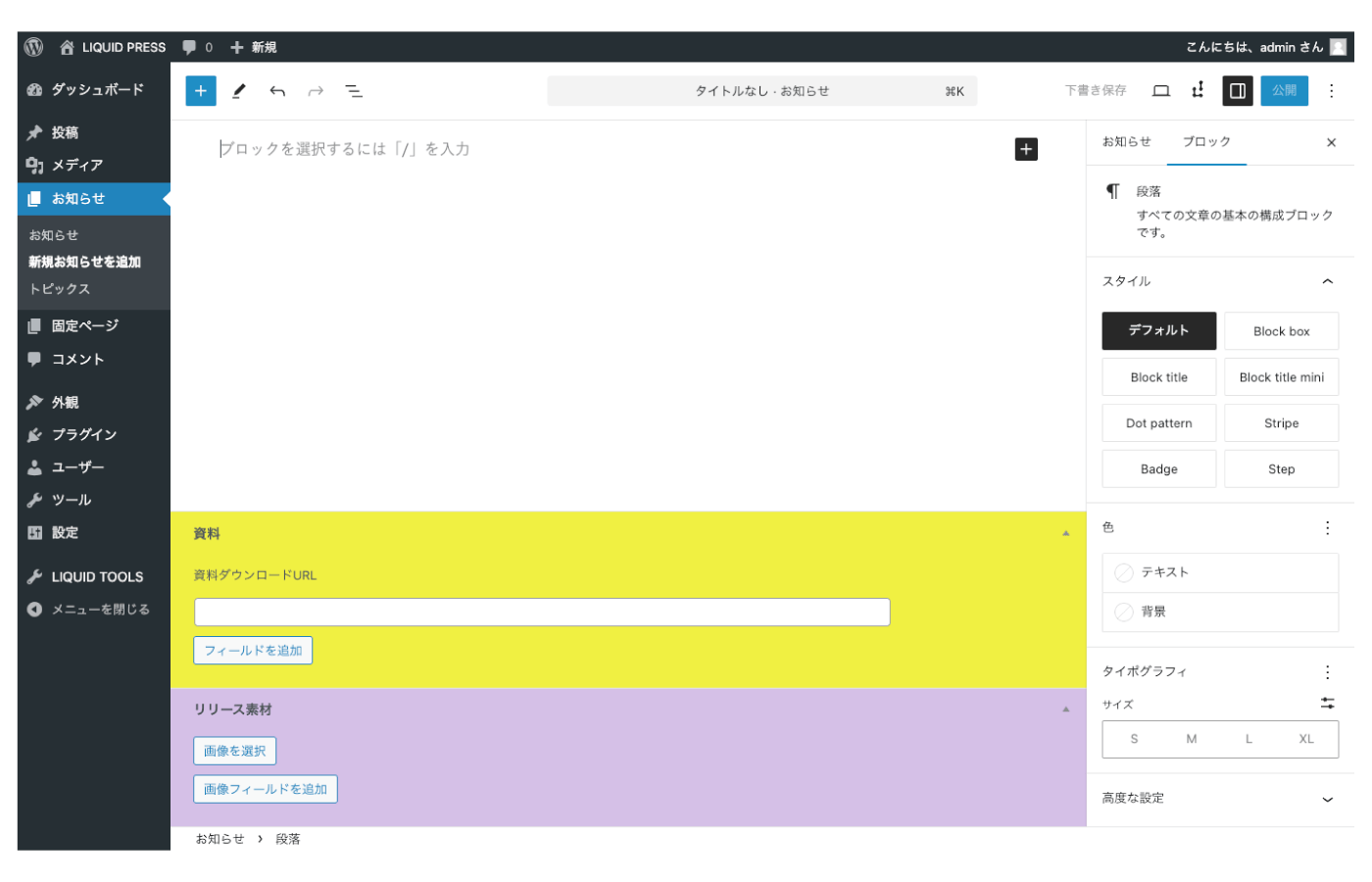
Setting a background color for a field makes it easier for editors to tell fields apart visually.
How to retrieve custom fields
You can retrieve and display custom field values either with blocks or with code.How to retrieve custom fields (blocks)
You can easily retrieve custom field data with LIQUID BLOCKS.
Custom field block: outputs custom field data without any code.
Supports the block editor and block themes.
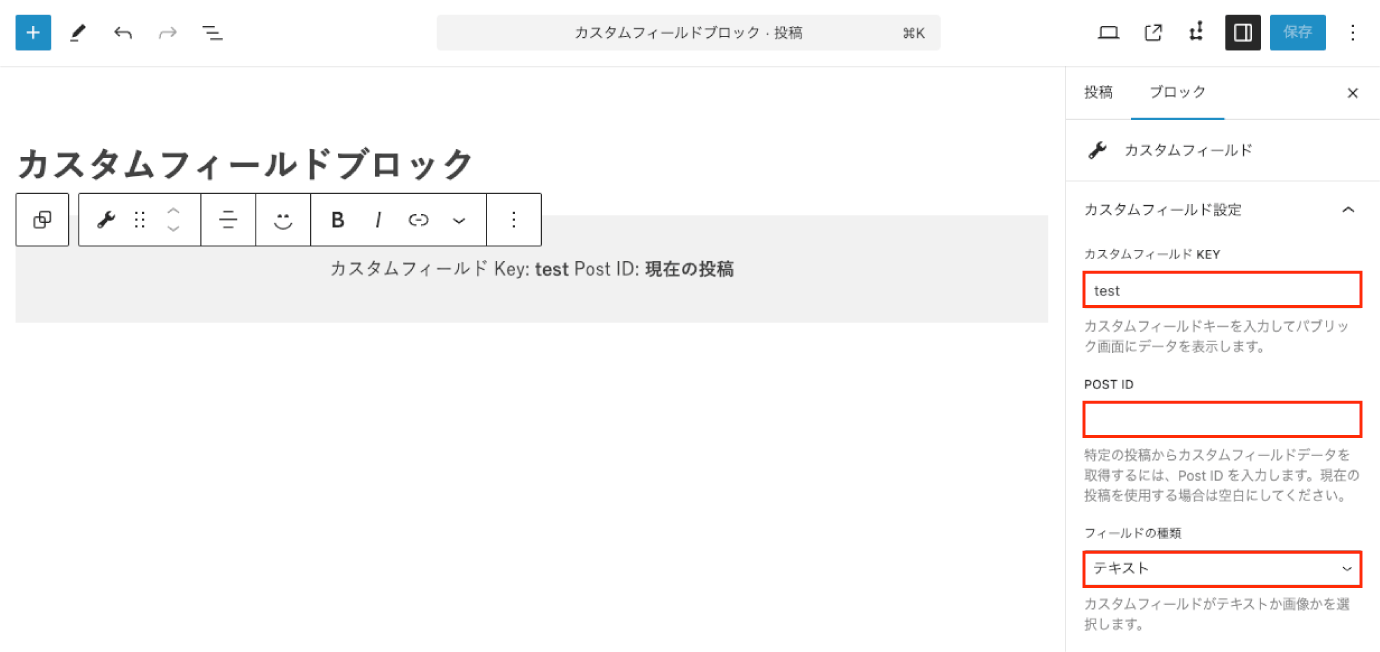 From the sidebar, select the custom field key, the post ID (the current post if left empty), and the field type.
By grouping blocks, you can also set styles such as text color and background color.
Check how it looks in the preview and on the published page.
How to retrieve custom fields (code)
You can safely retrieve field data using WordPress core functions.
Text field
get_post_meta( $post->ID, 'key', true );
Repeating a text field
$key = get_post_meta( $post->ID, 'key', true );
foreach ( $key as $value ) {
    echo esc_html( $value );
}
Image field
wp_get_attachment_url( get_post_meta( $post->ID, 'key', true ) );
Repeating an image field
$key = get_post_meta( $post->ID, 'key', true );
foreach ( $key as $value ) {
    echo wp_get_attachment_url( esc_html( $value ) );
}
Security
Security settings
- Disable XML-RPC and X-Pingback
- Disable REST API users
- Disable REST route parameters
- Disable REST API batch (wp2shell countermeasure)
- Disable application passwords
- Disable author queries
- Disable readme.html
Login page protection
- Login history
- Additional password protection
- Automatic IP blocking
- Manual IP blocking
Maintenance mode
- Maintenance mode
- Error title
- Message
- Preview password
- Maintenance schedule (Pro)
- Recurring maintenance schedule (Pro)
Site tampering check
Detect whether your site has been compromised with a single click.*It runs and reports on inspections designed from the techniques seen on actual compromised sites, covering tampering with WordPress core files, hidden backdoors, unauthorized accounts, and more.
- Tampering check (Pro)
- Exclusion list (Pro)
- Scheduled scans and email notifications (Pro)
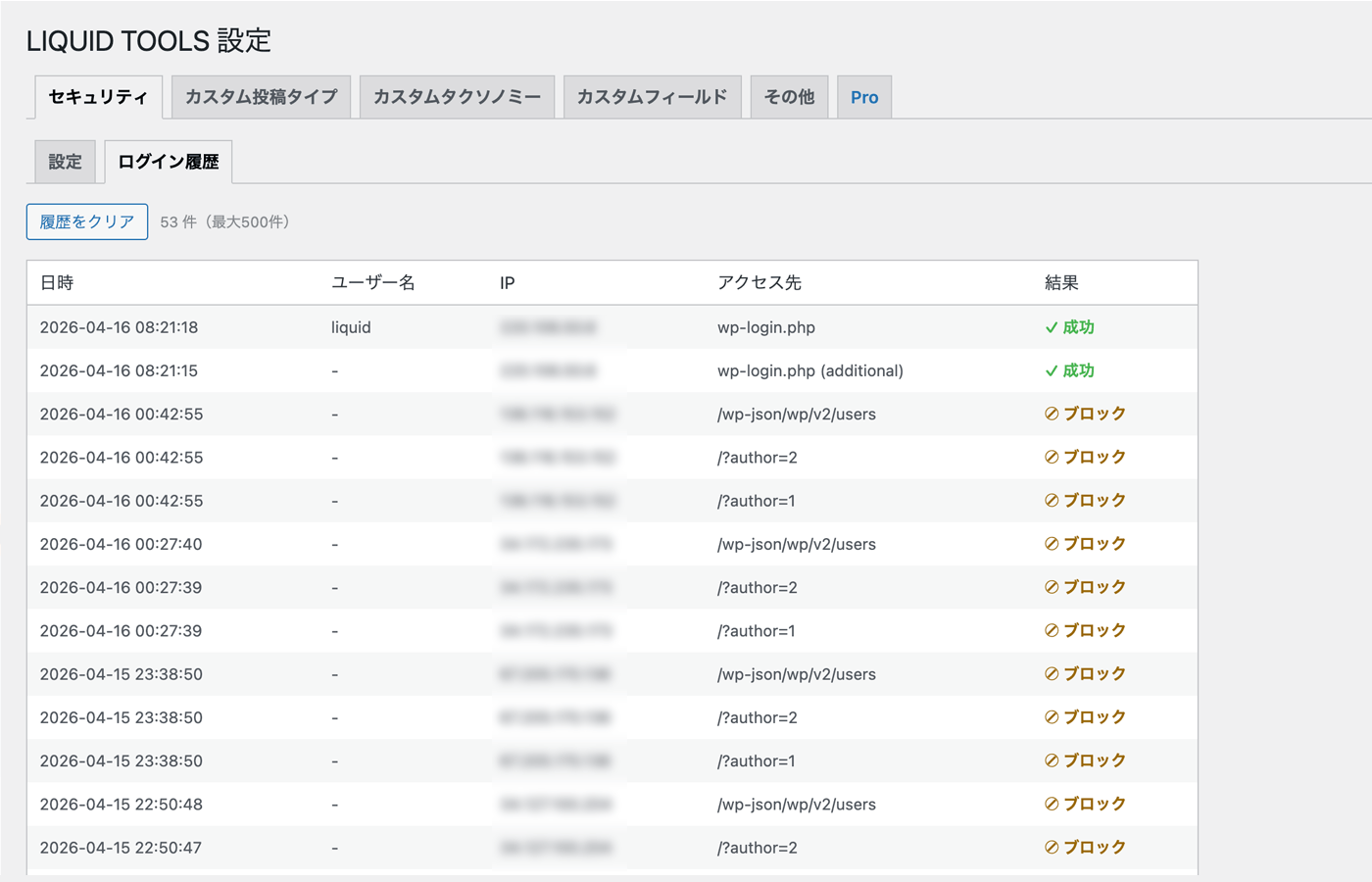
Security settings, login history screen.
Other settings
Settings
- Select the post types that show featured images in the dashboard post list (multiple selections allowed)
- Select the post types that show the ID in the dashboard post list (multiple selections allowed)
LIQUID TOOLS Pro
The Pro version gives you access to every feature.- Unlimited custom post types, custom taxonomies, and custom fields (free version: up to 10 each)
- More login history log entries (free version: up to 100)
- Maintenance schedule
- Recurring maintenance schedule
- Site tampering check
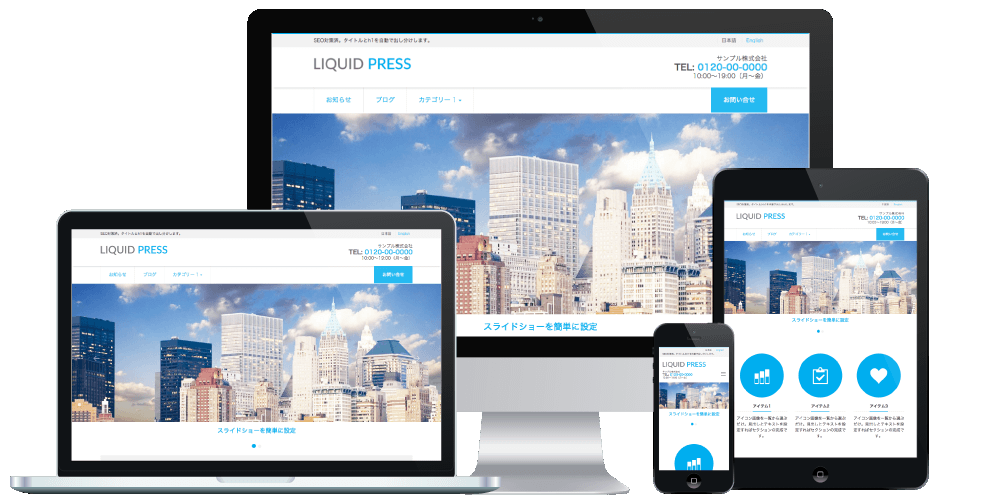
Depending on the theme you are using, the appearance may differ.
We recommend the LIQUID PRESS series themes with this plugin.
* The site tampering check is a Pro version feature.
| WordPress custom fields, CPT and security plugin LIQUID TOOLS | |
|---|---|
| Price | Free and up |
| Specification | Plugin listed in the official WordPress directory |
| License | GPL (commercial use permitted, copyright notice may be removed, no limit on the number of installations) |
| Requirements | WordPress 6.0 or later |
| Support | Ongoing support plan |