For details on the update and on AI support, please see here.
How to configure AI Connect
Configure the API from WordPress Dashboard > Settings > Connect.* API usage fees apply separately. A price comparison table (for reference) is provided below.
1. Install a connector
Here we explain using the OpenAI connector as an example. Click the install button for OpenAI.You do not need to install an AI plugin to use the AI-related features of LIQUID PRESS.
Installing an AI plugin also enables features such as automatic featured image generation.
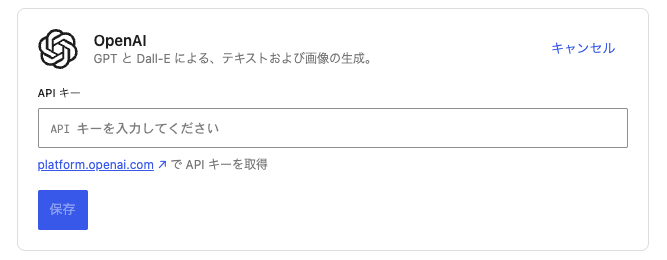
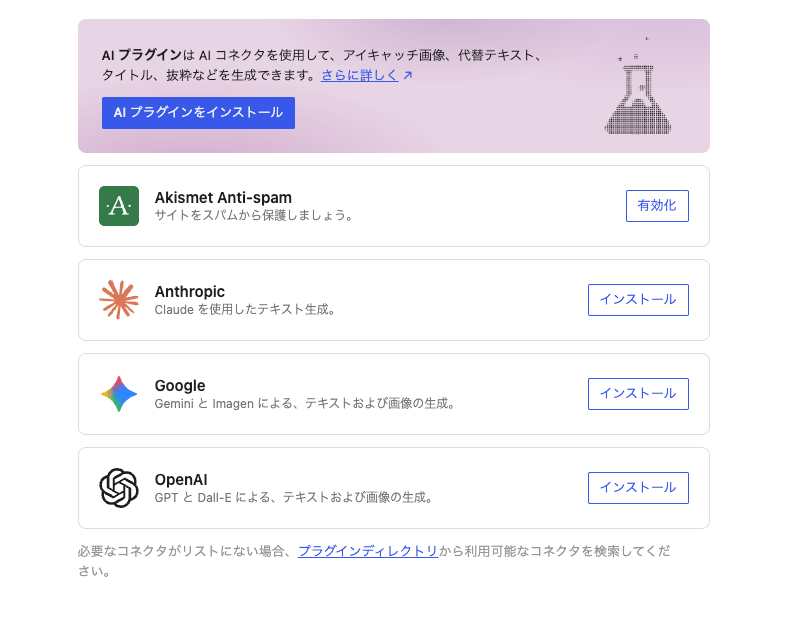 Once installation is complete, an API key input field appears.
2. Issue a secret key
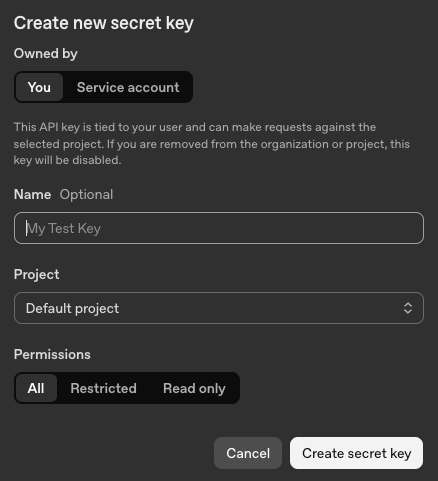
From the link to obtain an API key, click "create secret key".Copy the issued secret key, which begins with "sk-...".
* The secret key is displayed only at the time of creation. Store it somewhere safe so you do not lose it.
3. Enter the secret key
Enter the secret key, and once "Connected" is displayed, you are done.
How to make use of AI
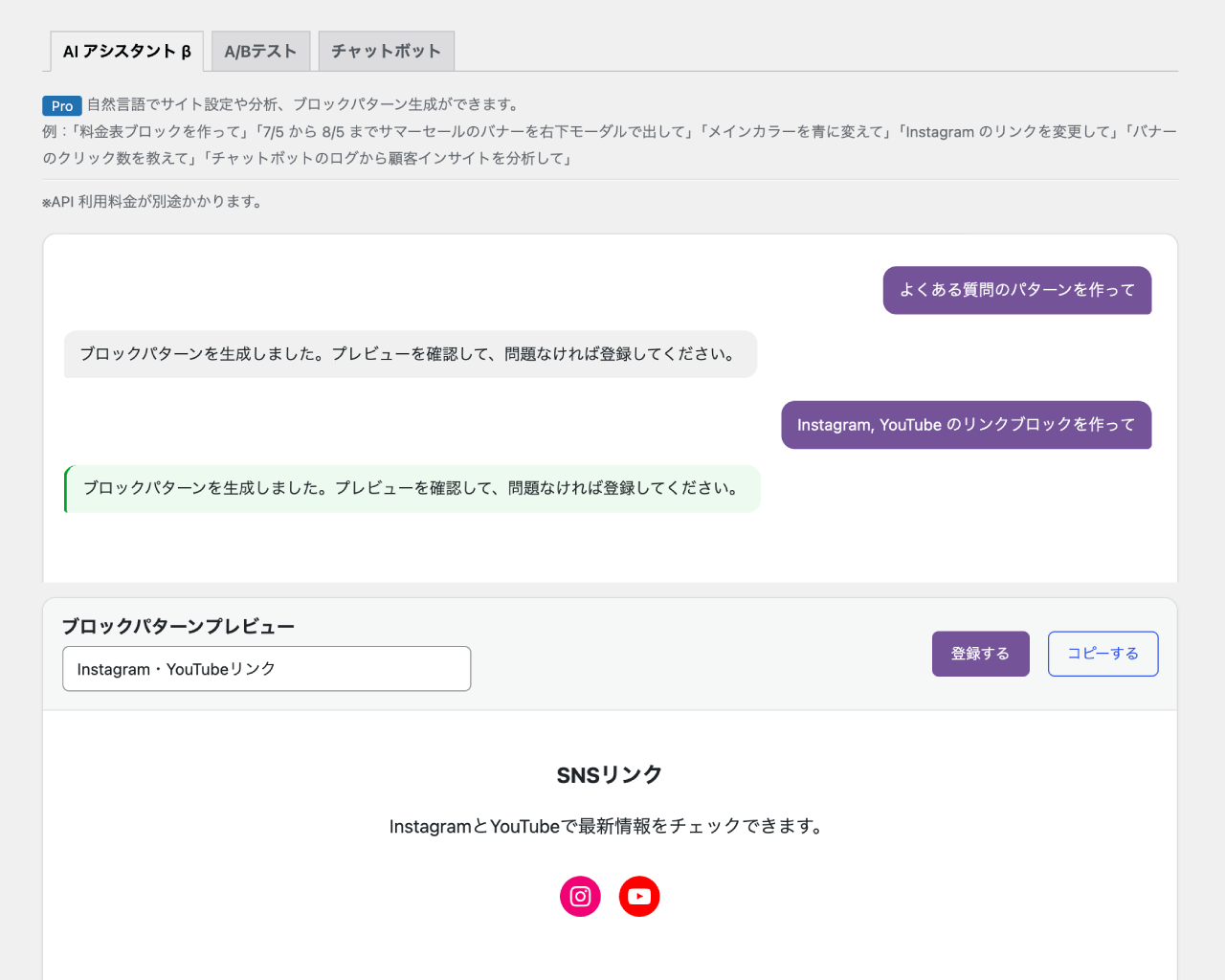
With LIQUID PRESS and LIQUID CONNECT, you can manage and operate your site using AI.AI-ready theme abilities: "Create a pricing table block", "Change the main color to blue"
AI-ready plugin: "Tell me how many clicks the banner got", "Analyze customer insights from the chatbot logs", and more.
For details on AI support, please see here.
AI API price comparison table (for reference)
* Pricing structures and other details are subject to change. Always check the provider's official site.
| Provider | Free tier | Billing |
|---|---|---|
| OpenAl (GPT) | Yes (you must turn on the "data sharing" setting) | Requires purchasing credits. Pay-as-you-go by token. Inexpensive with the mini-class models. |
| Anthropic (Claude) | No | Prepaid credit system. Pay-as-you-go by token, varying by model. |
| Google (Gemini) | Yes (with rate limits; low-frequency use may be possible for free) | Usage beyond the free tier and higher-end models are pay-as-you-go by token. |
LIQUID PRESS
 » Unlimited Plan
» All Themes
» Unlimited Plan
» All Themes