Admin Screen Customization Extension Plugin
LIQUID PRESS EXTENSIONSLIQUID CMS
Customize the admin screen to make it your own!
Using "LIQUID CMS", you can easily customize the WordPress admin screen and login screen. This is recommended for production agencies and others who deliver sites to clients.
Main features
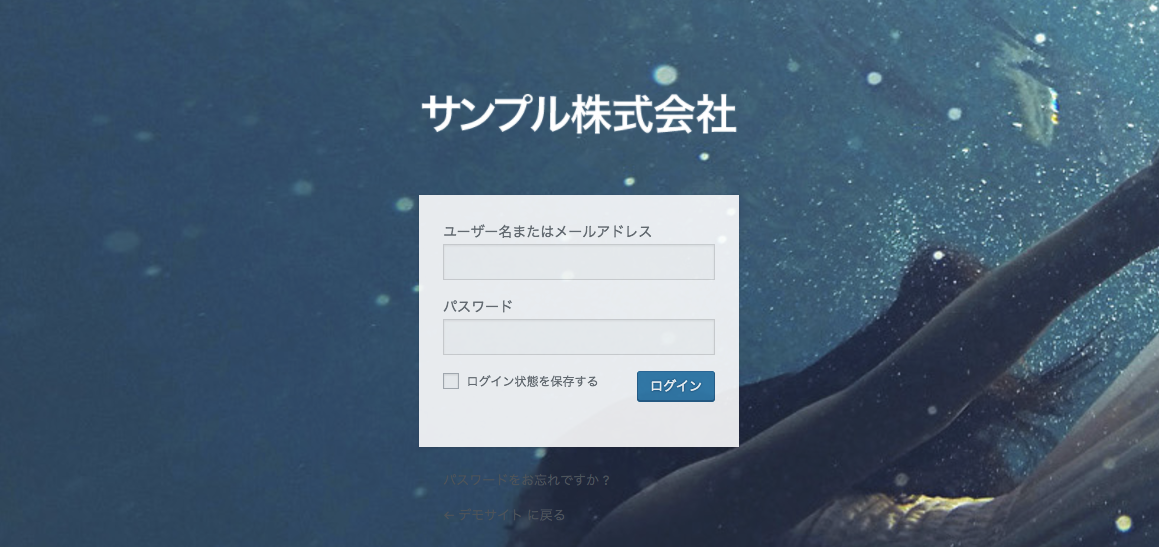
Login screen
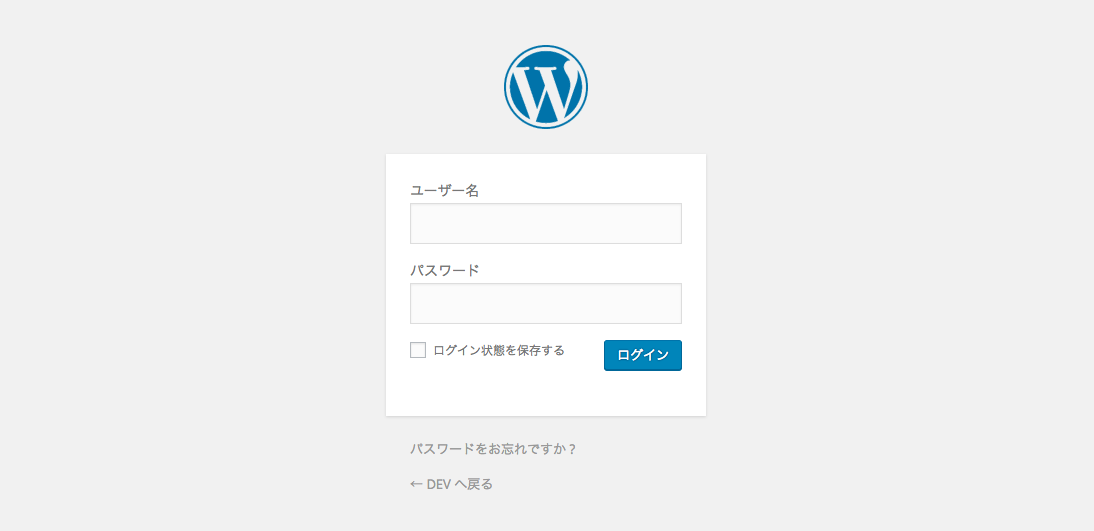
↓You can change the login screen's heading, logo, and background to your own images.
Admin screen
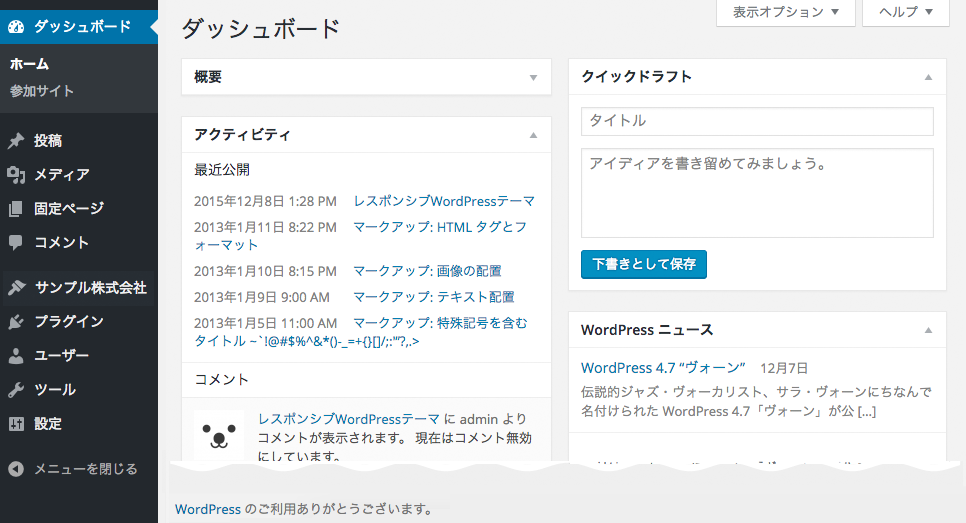
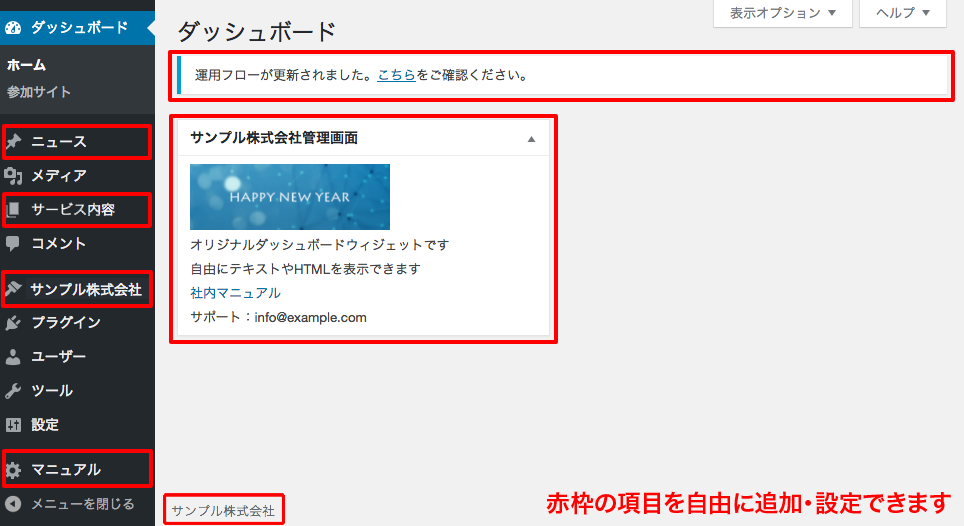
↓You can change various elements of the admin screen, such as the dashboard, menu item names, and notices, to match your own brand.
Theme list
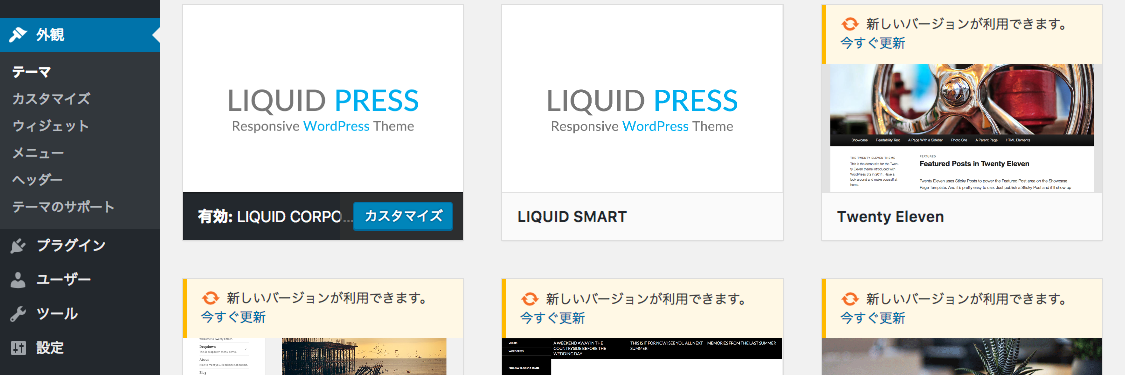
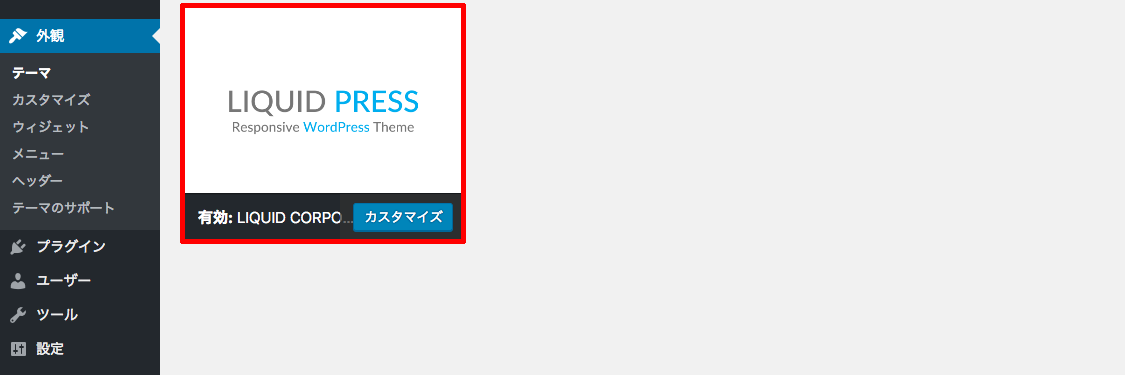
↓WordPress admin screen > Appearance > Themes displays all installed themes, but you can hide all themes except the active one.
If you create a child theme, you can also change the theme name and screenshot image.
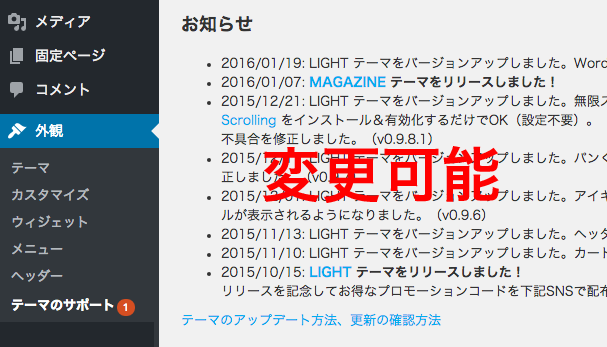
Theme support screen
WordPress admin screen > Appearance > Theme Support displays notices such as theme update information, but you can change this screen to your own page.
*Please prepare the page you want to change it to.
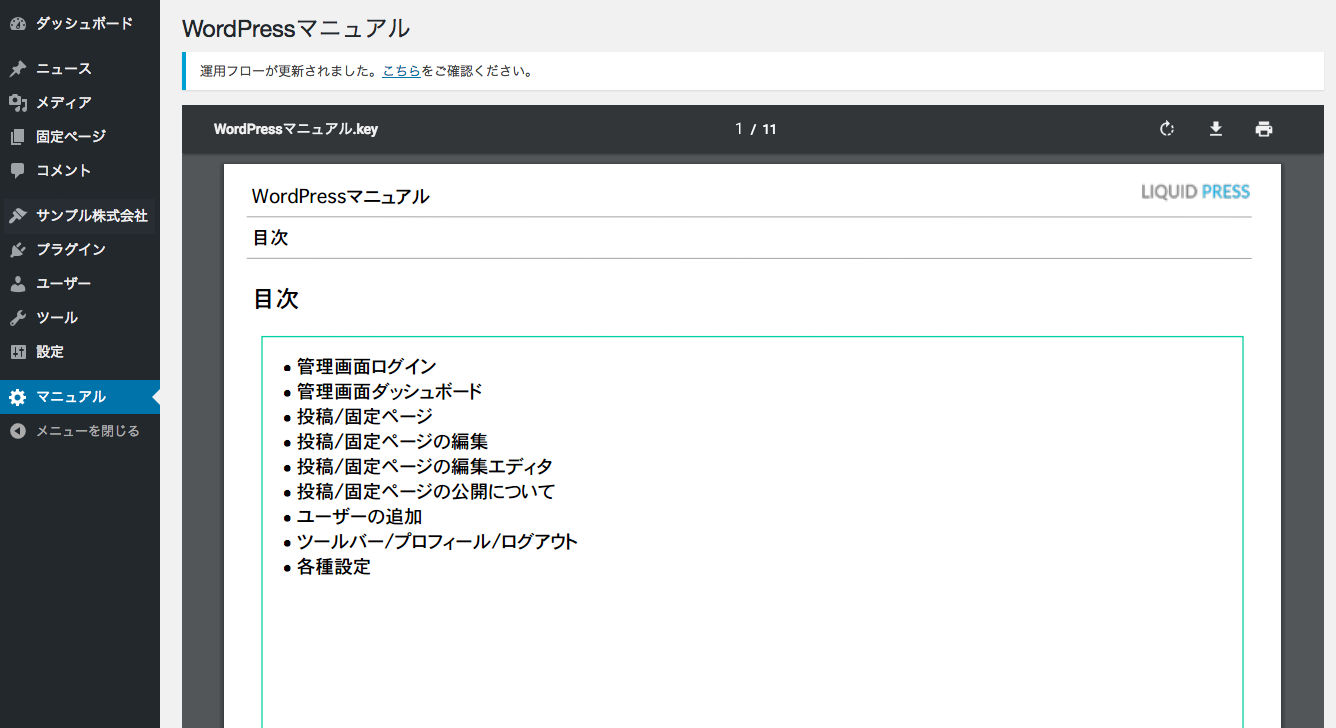
Usage manual
Display the "WordPress usage manual" in the admin screen. This gives peace of mind when delivering to clients who are new to WordPress.
You can also change it to your own manual page.
*Please prepare the page you want to change it to.
How to configure
Installing the plugin
Download "LIQUID CMS", then install and activate it.Appearance > Customize > System Settings
When you activate this extension plugin, System Settings is added.
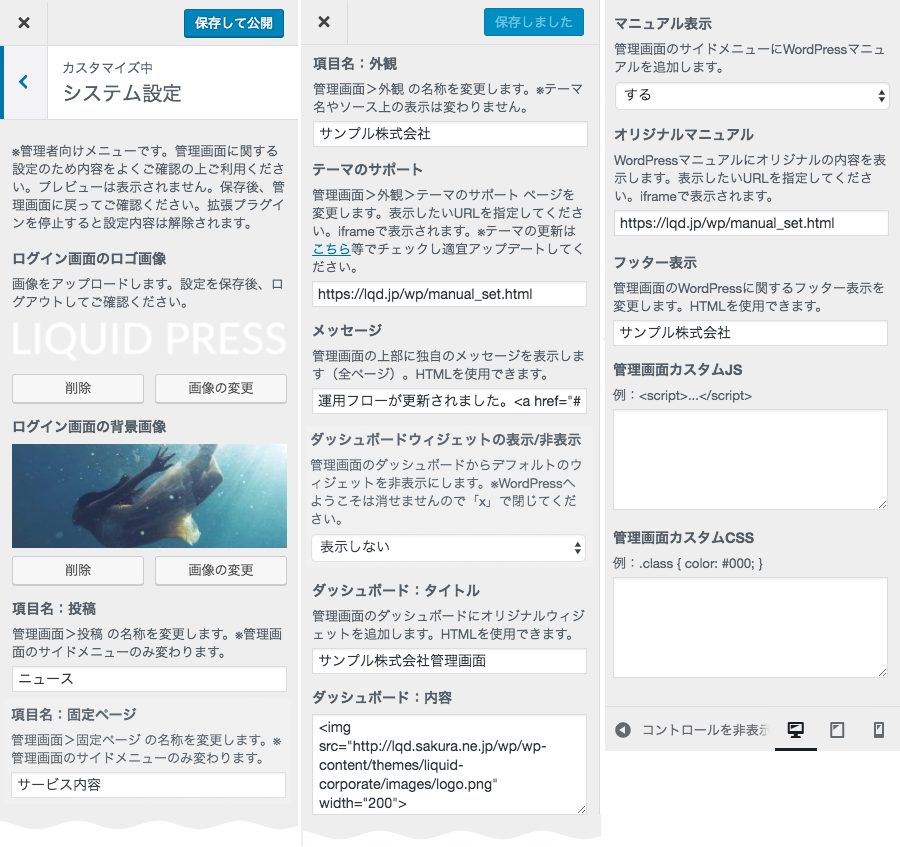
*The screen shown is from a version under development.
List of settings
| Item | Description |
|---|---|
| Login screen: logo image | You can change it by uploading an image. |
| Login screen: background image | You can change it by uploading an image. |
| Item name: Posts | You can change it to a name that suits your actual usage, such as "News". *Only the side menu is changed. |
| Item name: Pages | You can change it to a name that suits your actual usage, such as "Services". *Only the side menu is changed. |
| Item name: Appearance | You can change the Appearance menu to your own name. *The theme name and the labels in the source are unchanged. |
| Themes: theme list | You can hide all themes except the active one from the theme list. |
| Themes: theme support | You can change the "Theme Support" page, which displays theme update information and more, to your own page URL. |
| Message | You can display a message at the top of the admin screen. HTML can be used. |
| Show/hide dashboard | You can hide the default widgets on the admin dashboard. |
| Dashboard: title | You can add your own widget to the admin dashboard. |
| Dashboard: content | You can specify the content of your own widget on the admin dashboard. HTML can be used. |
| Show manual | You can display the WordPress manual. It is displayed to users with Contributor privileges as well. |
| Original manual | You can specify your own page URL for the WordPress manual. |
| Footer display | You can change the WordPress-related text in the footer. |
| Admin screen custom JS | You can add your own JavaScript to the admin screen for more advanced customization. |
| Admin screen custom CSS | You can add your own stylesheet to the admin screen for more advanced customization. |
Applicable Themes
Please note
- This is an extension plugin exclusively for the LIQUID PRESS series.
- Features and other details may change without notice.
- Items other than those listed above (individual page names, labels in the source, etc.) are not changed.
| LIQUID CMS: a WordPress admin screen customization extension plugin | |
|---|---|
| Applicable plan | Enterprise plan |
| License | GPL (commercial use permitted, copyright notice may be removed, no limit on the number of installations) |
| System requirements | LIQUID PRESS series themes WordPress 4.1 or later, Chrome, Firefox, Safari, Edge (An environment in which WordPress runs is required) |